
TerryFix
New member
- Joined
- Jun 28, 2024
- Messages
- 9
If you are new to paid IPTV services, evaluating them fairly is harder than it looks. Marketing claims are unreliable. Online reviews are frequently fake. This checklist gives you a structured, objective approach.
☐ Search community forums for the service name and look for posts from 6–12 months ago
☐ Verify the service has a publicly accessible support channel you can test (not just WhatsApp/Telegram)
☐ Confirm a free trial is available without requiring payment details
☐ Check the service has been operating for at least 12 months (based on forum history)
☐ Note the payment options — confirm PayPal or credit card is accepted
☐ Use a wired Ethernet connection for the test device
☐ Set router DNS to 1.1.1.1 before testing
☐ Have your testing device fully charged/powered
☐ Clear any previous IPTV app data for a fresh start
☐ Document your starting speed at peak hours (run a speed test at 8pm)
☐ Test on Day 2 or 3 (not Day 1 — setup issues can skew first impressions)
☐ Test your specific regular channels — not random ones
☐ Test during your normal viewing hours (evenings)
☐ Test on a Saturday evening for highest-demand conditions
☐ Count and record buffering events per hour
☐ Test catch-up on a programme from 2 days ago
☐ Test catch-up on a programme from 5 days ago (shows catch-up depth)
☐ Test EPG accuracy on 5 channels — compare against actual broadcast schedules
☐ Submit a genuine technical question to support on Day 1
☐ Record the time you submitted and the time they responded
☐ Rate the response: does it specifically answer your question? (1–5)
☐ Ask a follow-up question if the first answer was not clear
Define what "pass" means before the trial starts. Example pass criteria:
• Fewer than 2 buffering events per hour average across 5 test evenings
• EPG accurate on at least 4 of 5 tested channels
• Catch-up working for at least 5-day-old content
• Support response within 8 hours with a specific (not template) answer
If the trial passes all criteria: subscribe monthly to start. Do not commit annually until 2–3 reliable months have passed.
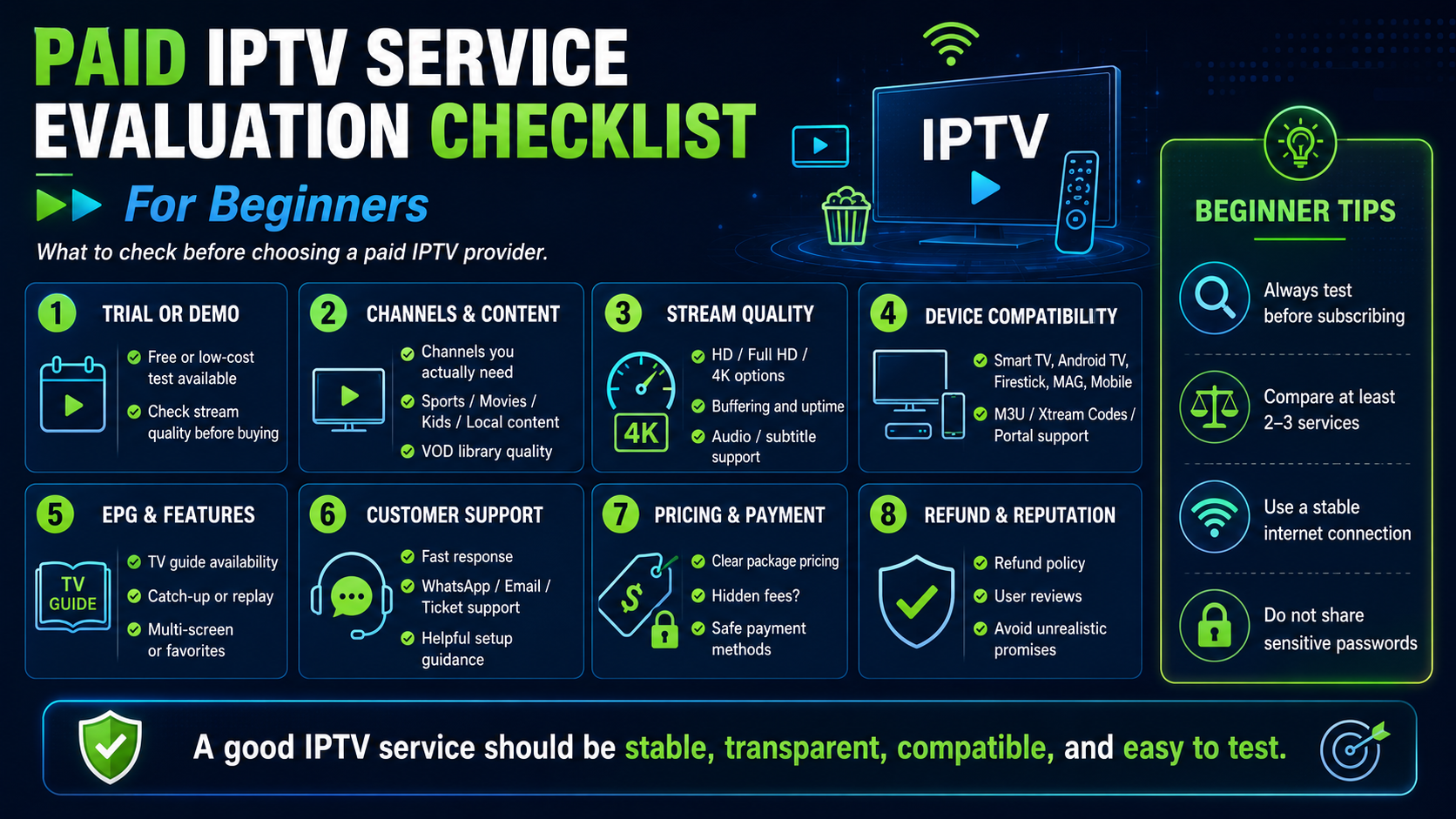
Before You Start: Research Phase
☐ Search community forums for the service name and look for posts from 6–12 months ago
☐ Verify the service has a publicly accessible support channel you can test (not just WhatsApp/Telegram)
☐ Confirm a free trial is available without requiring payment details
☐ Check the service has been operating for at least 12 months (based on forum history)
☐ Note the payment options — confirm PayPal or credit card is accepted
Setting Up for the Trial
☐ Use a wired Ethernet connection for the test device
☐ Set router DNS to 1.1.1.1 before testing
☐ Have your testing device fully charged/powered
☐ Clear any previous IPTV app data for a fresh start
☐ Document your starting speed at peak hours (run a speed test at 8pm)
Performance Testing
☐ Test on Day 2 or 3 (not Day 1 — setup issues can skew first impressions)
☐ Test your specific regular channels — not random ones
☐ Test during your normal viewing hours (evenings)
☐ Test on a Saturday evening for highest-demand conditions
☐ Count and record buffering events per hour
☐ Test catch-up on a programme from 2 days ago
☐ Test catch-up on a programme from 5 days ago (shows catch-up depth)
☐ Test EPG accuracy on 5 channels — compare against actual broadcast schedules
Support Testing
☐ Submit a genuine technical question to support on Day 1
☐ Record the time you submitted and the time they responded
☐ Rate the response: does it specifically answer your question? (1–5)
☐ Ask a follow-up question if the first answer was not clear
Decision Criteria
Define what "pass" means before the trial starts. Example pass criteria:
• Fewer than 2 buffering events per hour average across 5 test evenings
• EPG accurate on at least 4 of 5 tested channels
• Catch-up working for at least 5-day-old content
• Support response within 8 hours with a specific (not template) answer
If the trial passes all criteria: subscribe monthly to start. Do not commit annually until 2–3 reliable months have passed.
Last edited by a moderator: